


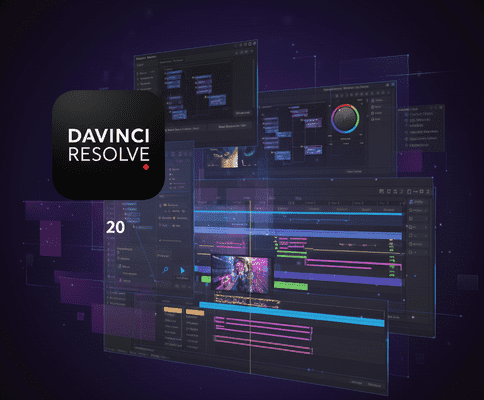
Blackmagic Design’s DaVinci Resolve 20 is a major update that delivers more than 100 new features, with a strong focus on AI-powered tools, enhanced editing workflows, compositing, and color grading. Whether you’re a professional colorist, editor, VFX artist, or audio engineer, Resolve 20 promises better performance, smarter automation, and more creative control.
Major New Features in Resolve 20
- AI Tools & Smart Editing
- AI IntelliScript: Automatically creates a timeline from a text-based script. Perfect for interviews or scripted content.
- AI Animated Subtitles: As people speak, subtitles animate in real time for a dynamic look.
- AI Multicam SmartSwitch: Automatically switches between camera angles based on who’s speaking.
- AI Audio Assistant: Generates a professional audio mix automatically.
- AI Music Editor: Conforms music to the length of your video.
- AI Detect Music Beats: Places markers on music beats for sync edits.
- AI Voice Convert: Transform voice recordings while keeping emotion and pitch variation.
- AI Set Extender: Expand or fill in backgrounds of a shot using AI.
- AI IntelliCut: Removes silence or unwanted dialogue intelligently.
- Editing & Timeline Enhancements
- Dedicated keyframe editor for precise animation.
- Voice-over palette with cue, prompter, and voice isolation tools.
- Safe Trim mode prevents accidental overwrites.
- Improved Live Overwrite for multicam editing.
- Dynamic UI for vertical video workflows.
- Mini-timeline context menu for faster editing.
- Color & Compositing Improvements
- Chroma Warp for intuitive hue/saturation manipulation.
- Magic Mask v2 with improved selection and painting tools.
- Depth Map v2 for more precise depth-based effects.
- OpenColorIO tools for advanced color management.
- ACES 2.0 support for modern color workflows.
- HDR Light Level Reports and improved panel sensitivity.
- Fusion / VFX Upgrades
- Multi-layer compositing for EXR, PSD, and 3D.
- Deep Image Compositing and vector warping tools.
- 180° VR support and 3D Scene Dome Light.
- Text+ and multi-text improvements with more control.
- Audio / Fairlight Enhancements
- AI Audio Assistant and EQ/Level Matcher.
- 6-Band EQ in Clip FX and Fairlight chain FX presets.
- Per-channel automation mode and persistent trim automation.
- AI-driven dialogue tools for ADR and silences.
- Cloud & Collaboration
- Blackmagic Cloud folders and presentation mode for clients.
- Cloud icon view with scrubbing previews for assets.
- Codec & Performance
- AI SuperScale for 3× and 4× upscaling.
- Improved H.265 / HEVC support and GPU acceleration.
- Immersive video support with spatial audio.
Benefits for Video Editors
- Speed & Efficiency: AI tools save hours of manual work.
- Creative Power: Complex VFX, color, and text tools are more accessible.
- Professional Audio: AI-assisted mixing reduces time spent on audio.
- Better Collaboration: Cloud sharing and client review tools simplify workflows.
- High-Resolution Flexibility: Upscaling and codec support allow for professional output from lower-res footage.
Considerations
- Some third-party plugins may not be fully compatible yet.
- Projects opened in Resolve 20 may not open in older versions.
- AI and GPU features may require high-end hardware.
- Backup projects before upgrading to avoid potential bugs.
Contact Me
Phone Number: +880 1796-126536
Email Addresses: mail@rakiul.com | hi.rakiulhasan@gmail.com