


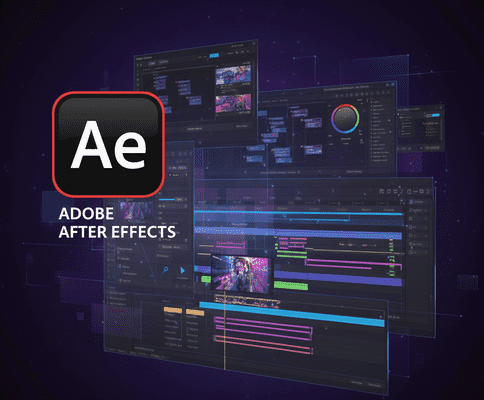
Adobe After Effects 2026 is the latest evolution of the industry-leading motion graphics and visual effects software. This update brings AI-powered tools, performance enhancements, 3D improvements, HDR monitoring, and smarter animation utilities, making it easier than ever for motion designers and VFX artists to create high-quality, cinematic content efficiently.
Major Updates & New Features in After Effects 2026
- High-Performance Preview Playback
- New caching system using RAM and local disks for smoother playback of complex compositions.
- Preview long compositions without lag, even on lower-spec machines.
- Enhanced 3D Motion Design Tools
- Animated Environment Lights: Use video layers or compositions as dynamic light sources.
- Native 3D Model Support (FBX): Import and animate 3D models natively within After Effects.
- One-click workflows for environment shading and 3D scene setup.
- HDR Monitoring Support
- View compositions with accurate brightness, vibrance, and color depth.
- Ideal for HDR content or broadcast-quality visuals.
- Keyframe & Animation Workflow Enhancements
- Quick Offset Tool: Easily stagger multiple layers or keyframes.
- Null Layer Commands: More precise control over animations.
- 3D Animation Controls in Properties Panel: Intuitive control of 3D animations directly from the panel.
- Vector & 3D Material Enhancements
- Native SVG import as shape layers with gradient and stroke preservation.
- Substance 3D Material Integration for realistic texturing.
- Parametric meshes for animated shapes with Substance materials.
- Zoom & Navigation Improvements
- Smooth, fluid zoom in Composition, Layer, and Footage panels.
- Instantly reveal project folders in your operating system.
- 3D Gizmo & Layer Controls
- Control multiple 3D layers using a single gizmo.
- New spotlight and directional shadows for advanced lighting.
- Metadata & Color Management Upgrades
- CICP metadata support for accurate HDR export.
- Info tooltips in the Effects panel for faster learning and workflow efficiency.
- Performance & GPU Support
- Hardware acceleration for NVIDIA Blackwell GPUs.
- Disk-based caching reduces RAM strain, allowing longer previews.
Benefits for Motion Designers & VFX Artists
- Faster Workflow: High-performance caching reduces waiting time.
- Enhanced 3D & Lighting: Realistic lighting and 3D model support.
- HDR Accuracy: Confidently work on HDR projects with true-to-life color.
- Smooth Animation Tools: Quick Offset and Null commands streamline keyframe management.
- Creative Flexibility: Vector improvements and Substance 3D materials expand design possibilities.
- Optimized Performance: GPU acceleration ensures smoother previews and faster rendering.
Considerations
- New features may still be in beta for some workflows.
- High-performance features may require a powerful system.
- Older plugins might not be fully compatible with AE 2026.
- Disk-based caching requires sufficient storage space.
Contact Me
Phone Number: +880 1796-126536
Email Addresses: mail@rakiul.com | hi.rakiulhasan@gmail.com