


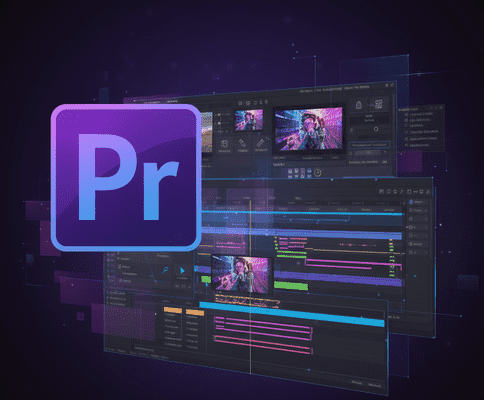
Adobe Premiere Pro continues to evolve rapidly, and the 2026 updates bring some of the most powerful additions yet. With AI-powered tools, performance boosts, and a huge new library of effects and transitions, this release is a major leap forward for professional video editors. In this article, we’ll break down everything you need to know: new features, workflow enhancements, and plugin / extensibility updates.
Key Updates & Features in Premiere Pro 2026
- AI‑Powered Tools & Generative Extend
- Premiere Pro now includes Firefly-powered Generative Extend, which can generate new 4K frames at the beginning or end of a clip. This is helpful when a shot is too short or you need extra room for transitions or ambient sound.
- The Generative Extend tool also handles ambient audio, giving editors more flexibility without having to re-shoot.
- Clips marked with generative content include “Content Credentials,” so it’s clear where AI was used.
- Media Intelligence & Smarter Search
- A new AI-powered Search panel lets editors search for clips by content (objects, people, spoken words, metadata) across your media.
- This is part of the “Media Intelligence” feature — speeding up the process of locating the right shot among hours of footage.
- In version 25.6, Premiere adds audio search, where you can type in descriptions of the sound (e.g. “car horn,” “birds chirping”) and find matching audio across projects.
- Automatic & Multilingual Captions
- Premiere can now automatically translate captions into 27+ languages, helping creators reach a global audience.
- You can also display multiple caption tracks at once, which is useful for multilingual content or subtitles during editing.
- Improved Color Management
- New Premiere Color Management makes it easier to bring in log or raw footage and convert it into SDR or HDR without LUTs.
- The update supports a wide-gamut color pipeline, using ACEScct as a working color space — which gives more color fidelity and control during grading.
- Better handling of color metadata ensures that “super-whites” and “sub-blacks” are preserved accurately.
- Performance & UI Improvements
- Dynamic waveforms: As you adjust volume, the waveforms change dynamically to reflect audio levels in real-time.
- Colored sequence labels: You can now color-code your sequence tabs, improving organization and workflow.
- GPU-accelerated support for certain codec formats, including 10-bit 4:2:2 H.264 / HEVC, improves playback and export speed.
- Faster playback and export for Apple Silicon users and accelerated audio conforming and peak file generation.
- Massive Effects & Transitions Library
- Premiere Pro 25.5 introduces over 90 new effects, transitions, and animations built-in.
- These include cinematic dissolves, glitch effects, VHS damage, distortion, kaleidoscope 3D transitions, and more.
- GPU-accelerated effects play in real time even as you tweak them, improving creative workflow.
- Collaboration & Cloud / Stock Integration
- Adobe deepens cross-app connectivity with Frame.io, Firefly, and Adobe Stock.
- Browse Adobe Stock assets (video, images, music, sound effects, templates, 3D) directly from within Premiere.
- Bulk “bleeping” of audio transcripts is available for faster censorship across projects.
Plugin / Extensibility Updates (UXP / Third‑Party)
- UXP (Unified Extensibility Platform): Premiere Pro supports UXP-based plugins, improving performance and responsiveness.
- Built-In Film Impact Library: 90+ high-quality modern motion effects built-in, no third-party install needed.
- GPU-Accelerated Effects: Many new transitions/effects optimized for GPU hardware, enhancing real-time performance.
Benefits for Video Editors & Creative Professionals
- Faster Turnaround: AI-powered search + generative frames save time.
- Better Creative Control: New transitions, color grading, and generative tools expand creative possibilities.
- Global Reach: Auto-translated captions for multi-language content.
- Performance Gains: GPU acceleration, dynamic waveforms, faster exports.
- More Reliable Collaboration: Integration with Adobe Stock and Frame.io.
- Extensible: UXP plugin support for customized workflows.
Contact Me
Phone Number: +880 1796-126536
Email Addresses: mail@rakiul.com | hi.rakiulhasan@gmail.com